
Note: This process is required to enable and onboard Pearl for Denticon users.
Adding Pearl as a Vendor
-
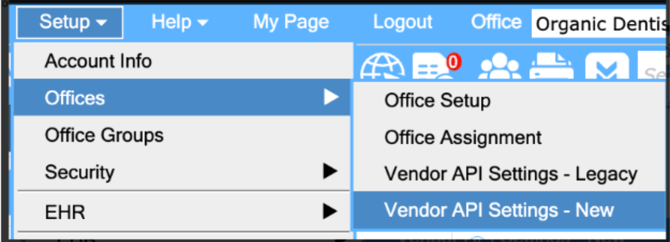
Go to Setup > Offices > Vendor API Settings.
-
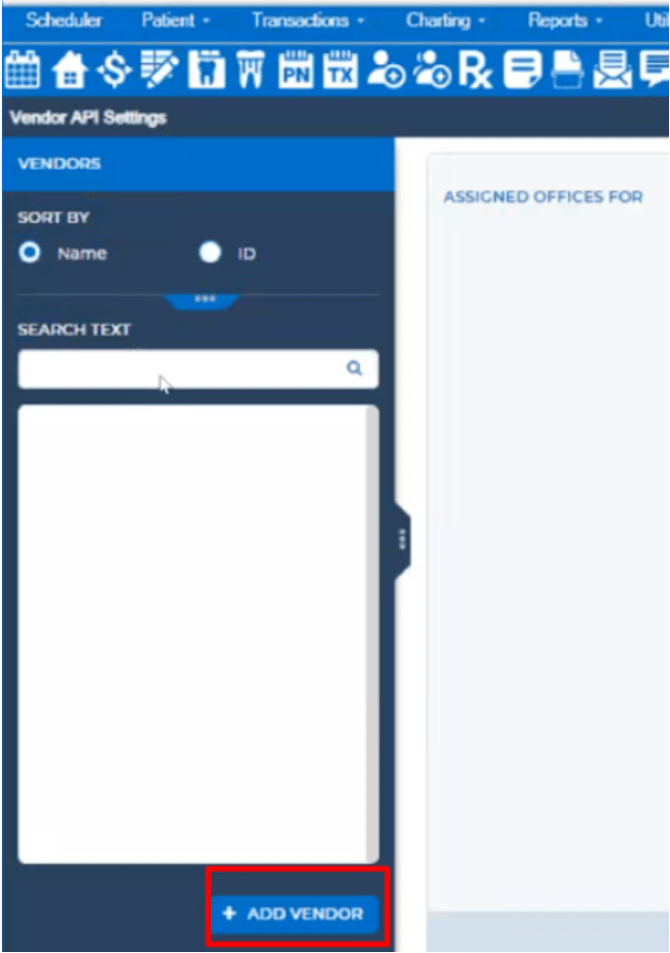
Click “Add Vendor”.
-
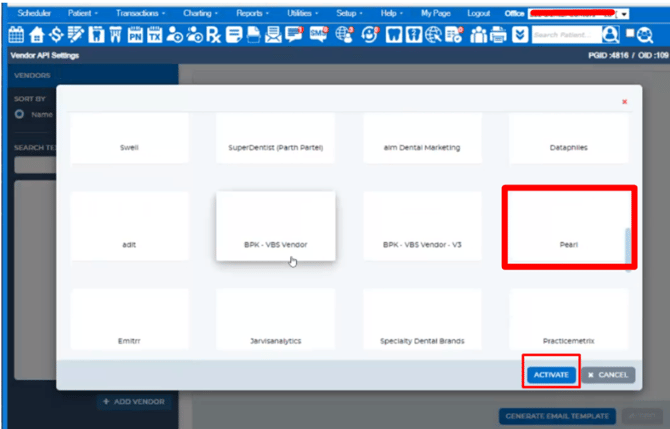
Scroll through the list, select Pearl, and click “Activate”.
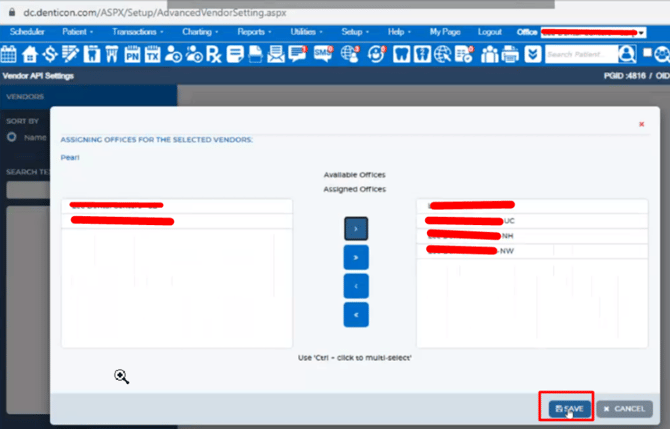
Selecting the Offices for Integration
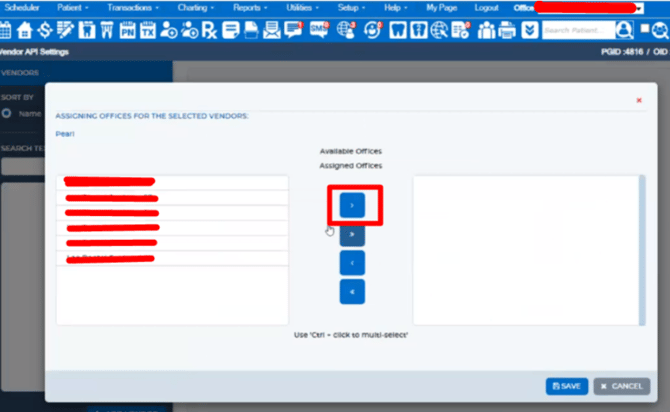
Ensure that all the offices you need are selected for integration.
Additional Resources