Overview
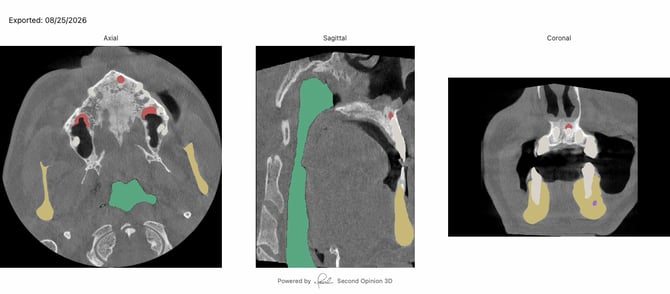
A periapical radiolucency or other finding may be clear on a CBCT but harder to see on a standard 2D image. Second Opinion 3D® solves this by generating the single best 2D slice of a flagged finding — ready to attach to an insurance claim — without requiring clinical judgment from front desk staff to pick the right image.
How It Works
- Open the CBCT scan and locate the finding in the Pathologies or Anatomy list of the AI Viewer panel.
- Hover over the finding in the viewer. A 2D export option appears.
-png.png?width=393&height=258&name=Screenshot%202026-08-25%20at%208-08-52%E2%80%AFAM%20(2)-png.png)
- Select to export with or without annotations. Second Opinion 3D generates the optimal 2D slice showing that finding, ready to attach to a claim.
Why This Matters
- Front desk staff don't need to be dentists to submit the right image — the tool identifies the best slice automatically.