
-png.png?width=1212&height=596&name=Screenshot%202026-07-28%20at%209-58-25%E2%80%AFAM%20(2)-png.png)
Use Cases
Insurance Documentation
Patient Printout
Insurance Documentation
-png.png?width=670&height=377&name=Screenshot%202026-03-25%20at%2012-07-02%E2%80%AFPM%20(1)-png.png)
- Open the Export feature within Second Opinion
- Select 'Insurance Documentation' from the dropdown options
- Customize your layout and display options
- Customization Options
- Images per page – Select how many images to display per page.
- Page orientation – Choose between portrait or landscape.
- File Type– Choose between JPG or PDF
- Image selection – Options include All images, Bitewings only, or Individually selected images.
- Pathologies display – Choose which detected conditions to include.
- Tooth parts – Optionally include tooth parts for detailed visuals.
- Affected Percentages – Include AI-generated percentages of affected teeth to support claims.
- Customization Options
- Select 'Printout' in the bottom left corner to generate the JPG or PDF download. This file can then be used in insurance claim attachments for supporting evidence.
Patient Report
- Open the Export feature within Second Opinion
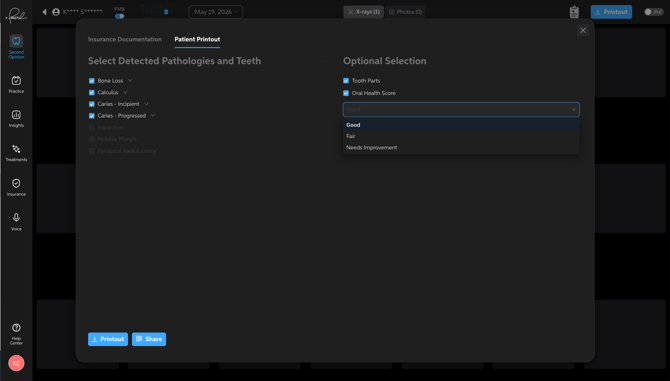
- Select 'Patient Report' from the dropdown options
- Make customizations to display
- Detected Pathologies and Teeth– Select which detected pathologies are displayed
- Opt to include intraoral images along with radiographs
- Optional Selections
- Tooth Parts– Choose to include tooth parts on the images
- Oral Health Score– Select the patient's Oral Health Score
- Good
- Fair
- Needs Improvement
- Generate a printout or share digitally with the patient for treatment presentation or information on their condition.
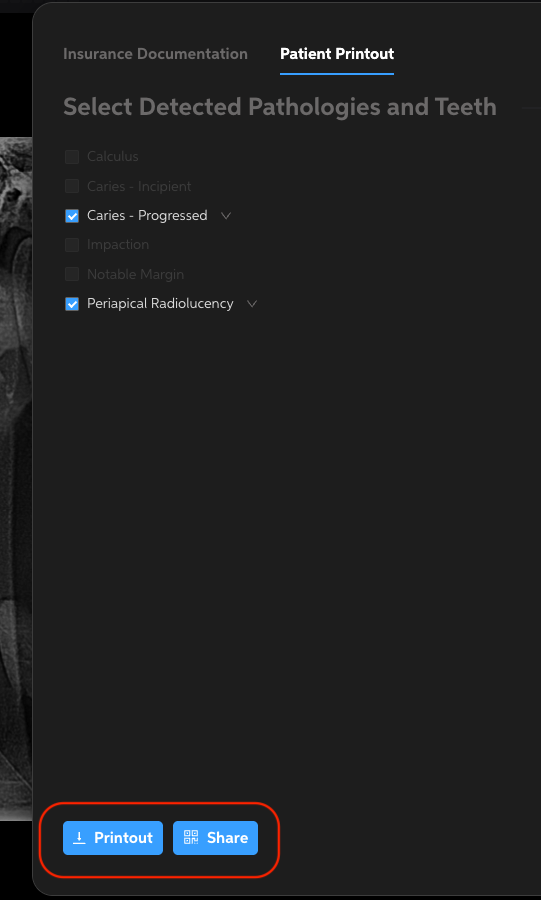
- Printout– Generate a PDF download to print.
- Share
- Generate a scannable QR code for patients to view this report digitally.
- After Generating QR Code, options available to copy a link or text right to the patient
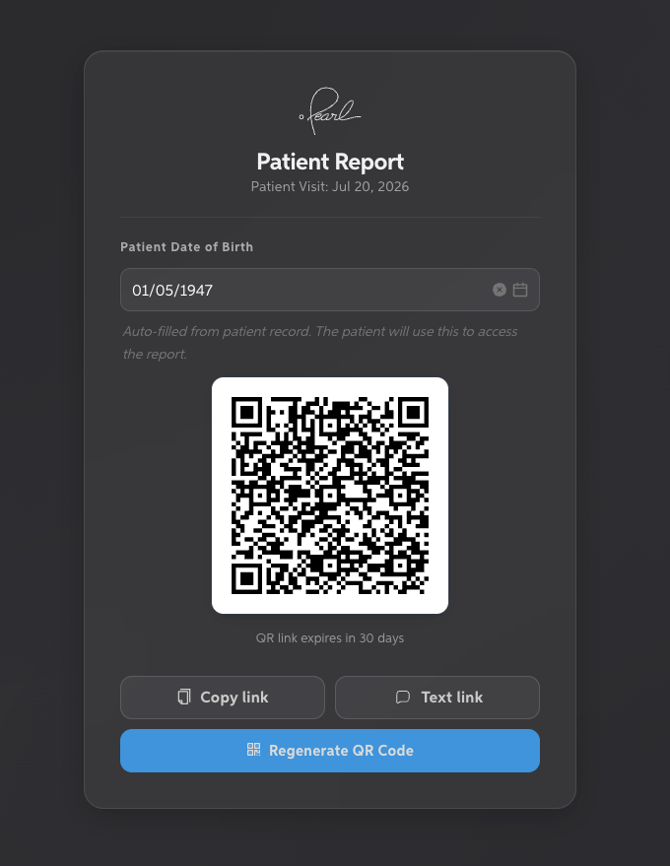
- After Generating QR Code, options available to copy a link or text right to the patient
- Generate a scannable QR code for patients to view this report digitally.
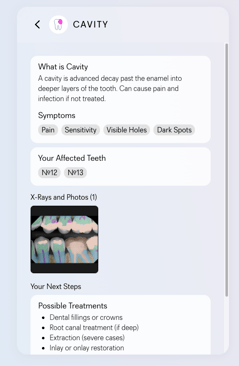
Patient Printout - PDF Example
-png.png?width=526&height=747&name=unnamed%20(3)-png.png)
-png.png?width=527&height=748&name=unnamed%20(2)-png.png)
Note: Patient Printout is not available for pediatric patients.
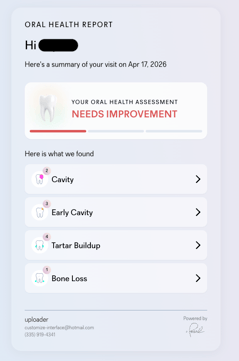
Patient Printout - QR Code Example
Best Use Cases
- Patient Education: Provide patients with visual reminders of their diagnosis.
- Insurance Submissions: Use AI findings to support claims for faster approvals.