
-
Access Carrier Connections
Click “Payor Connections” at the top of your dashboard.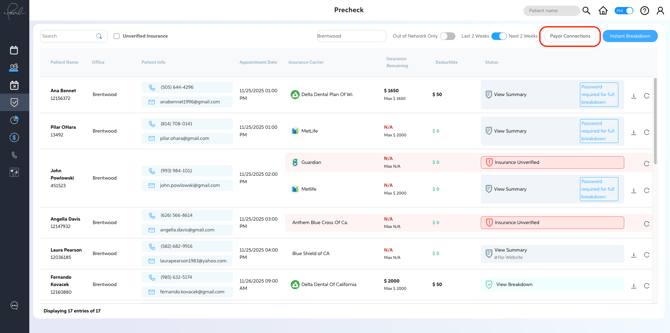
A list of carriers will open, showing connection statuses.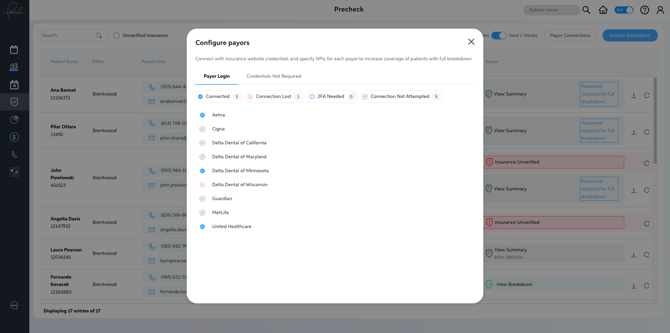
Connection icons indicate the current connection status for each carrier (e.g., connected, pending, or disconnected).
-
Enter Credentials
Click any carrier link that needs credentials and enter your login information.Use the login information you use for the indicated payor website.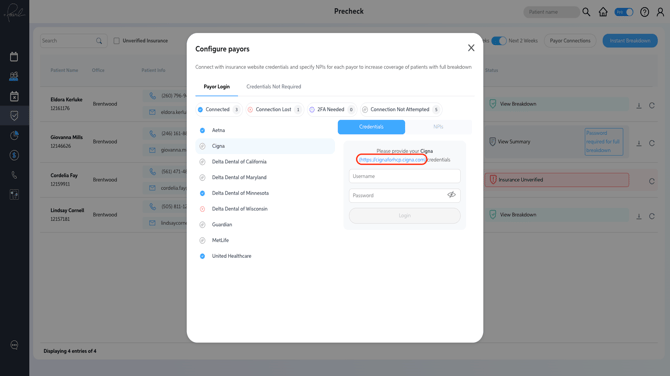
-
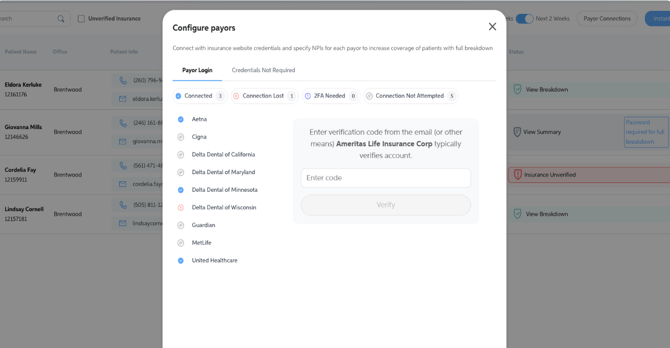
Repeat the login and configuration process for each payor requiring connection.If multi-factor authentication (MFA) is required, you'll be prompted to enter a security code directly within the connection interface. The code will be delivered using that carrier's standard method — typically email or text message.
-
Once your connections are established, Precheck automatically verifies insurance eligibility for patients scheduled in the next two weeks. This reduces the need for manual checks and gives your team a centralized reference for benefit information.
How to Set Up Payor Connections in Precheck
Follow these steps to connect your insurance carriers to Precheck so the tool can automatically verify patient eligibility before appointments.
Check out our Introduction to Precheck video for a clear overview of how the tool works, where it fits in your workflow, and how to set it up for success.