How It Works
To delete images:
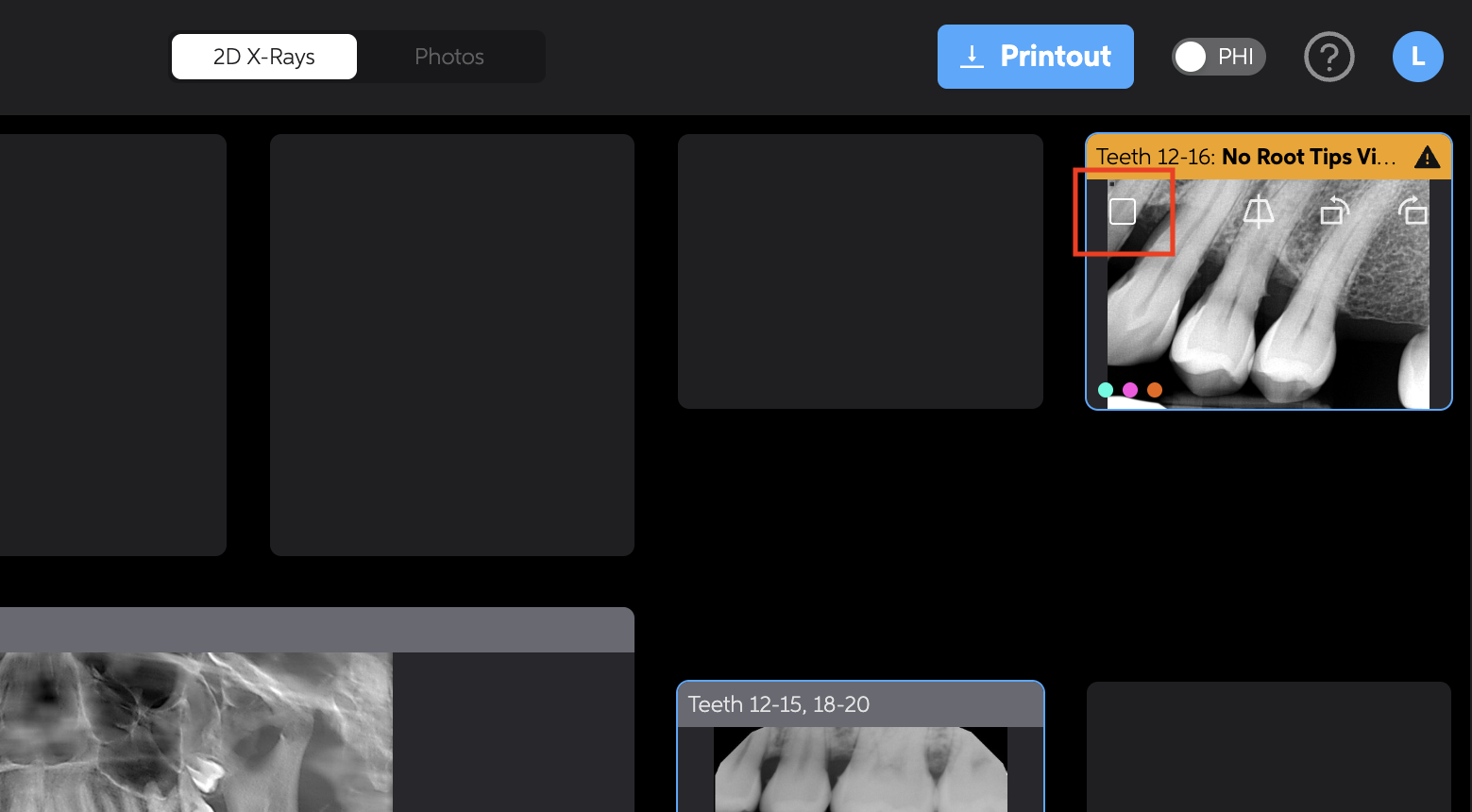
- Hover over the image you'd like to delete
- A checkbox will appear on the image
- Click the checkbox on the image(s) you want to remove
- In the newly appeared menu, click the trash icon
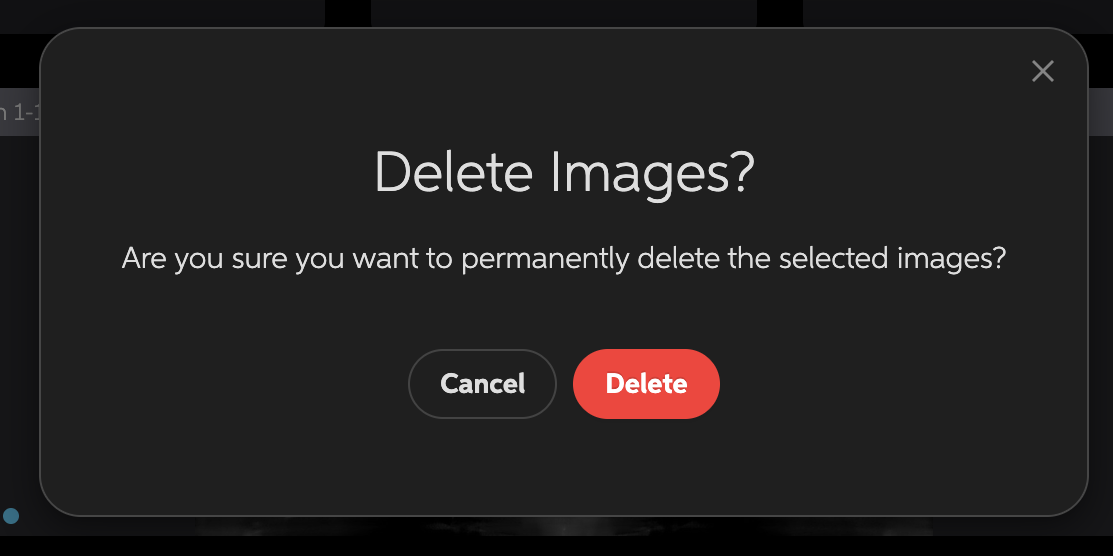
- Confirm the delete
- The selected images will be permanently deleted
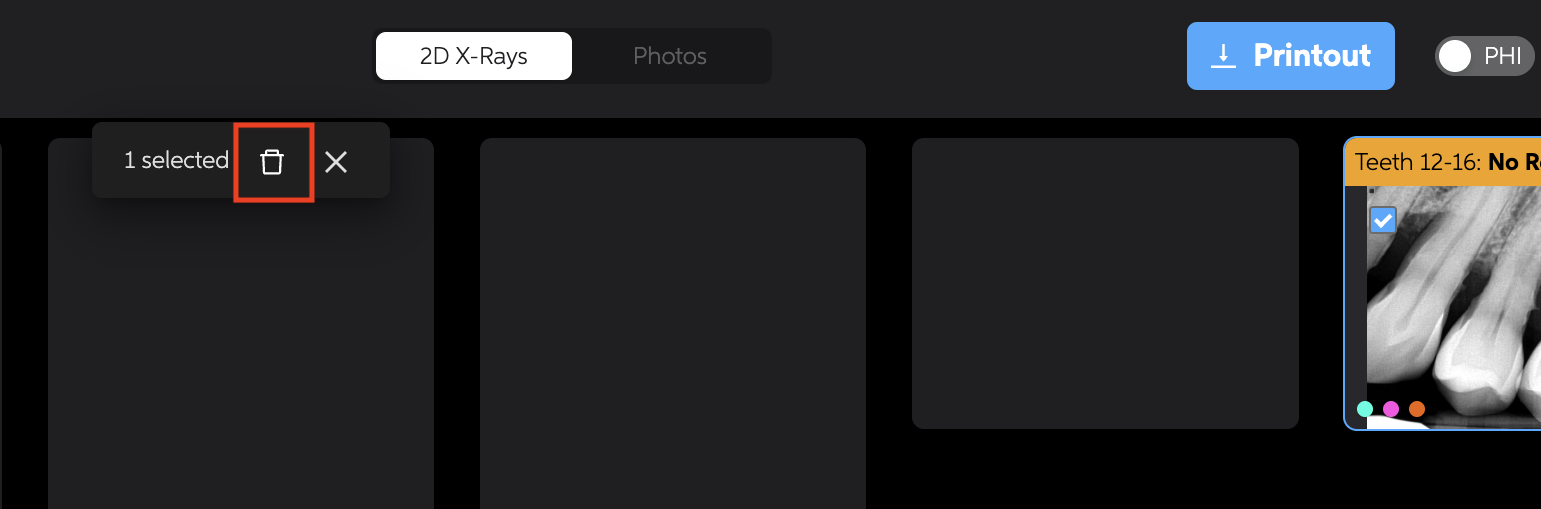
You can select multiple images at once by checking multiple checkboxes before clicking the trash icon.