
How to Access the Patient Slide-out
- Launch Practice Intelligence
- On the Enhanced Schedule page, select a patient appointment card to open the patient slide-out.
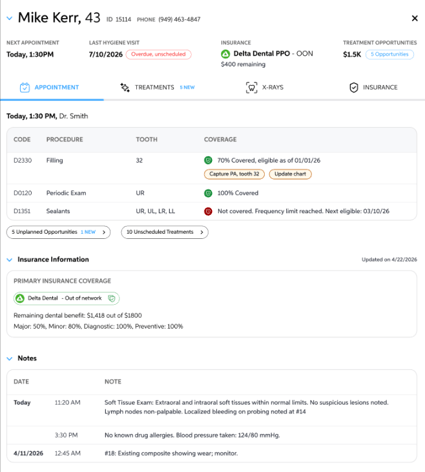
Patient Slide-out: Overview
At the top, you will see the following information listed:
- Patient Name, Age, ID, and Phone Number
- Next Appointment Date
- Last Hygiene Visit Date
- *Insurance & Remaining Dental Benefits
- Treatment Opportunities
This information is synced from your Practice Management System (PMS).

Appointment Tab
The Appointment tab gives you an overview of what to expect for each patient coming in today.