
Configuring Your Daily Huddle Download
Before downloading, you can customize what appears in your Daily Huddle PDF and save your preferences for future use.
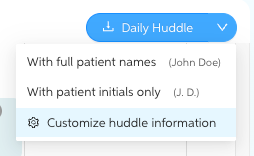
Click the Daily Huddle button, then select Customize huddle information from the dropdown to open the configuration modal.
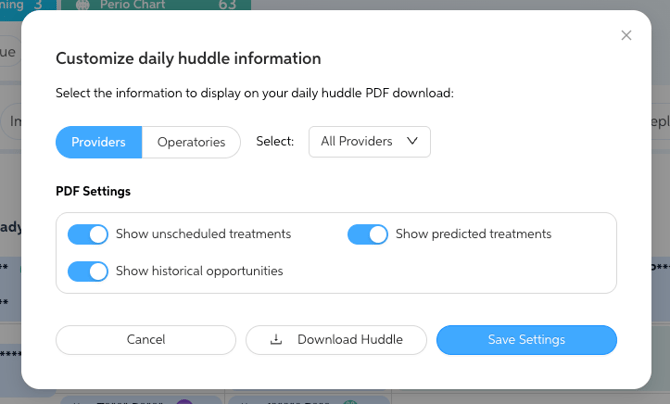
Filter by Provider or Operatory Select the Providers or Operatories tab to choose how the huddle is organized. Use the dropdown to filter by a specific provider or operatory, or leave it set to All Providers to include everyone.
Patient Name Display When you click the Daily Huddle button, choose:
- With full patient names — displays names in full (e.g., John Doe)
- With patient initials only — displays initials only (e.g., J.D.), in line with your practice's PHI settings
PDF Content Toggles Inside the configuration modal, toggle the following on or off to control what appears in the PDF:
- Show unscheduled treatments — includes treatment plan items not yet scheduled
- Show predicted treatments — includes AI-predicted findings not yet addressed in the treatment plan
- Show historical opportunities — includes prior unscheduled or unaddressed treatment items
Click Save Settings to apply your preferences to all future downloads, or click Download Huddle to generate the PDF immediately with your current selections without saving.
Daily Huddle Overview
Daily Huddle gives you a real-time snapshot of all patients scheduled for the day, organized by provider or operatory. This tool helps you and your team prepare for the day ahead with clear visibility into key patient information.
Key Indicators
- X-ray needs — Highlighted in pink or purple to identify patients due for updated radiographs.


- Hygiene recall overdue — Shown in blue to flag patients overdue for routine hygiene visits.

- Miscoded prophy alert — Represented by an orange tooth icon, this highlights patients with a history of scaling and root planing (SRP) or periodontal maintenance who are mistakenly scheduled for a standard prophy.

- Periodontal chart alert — Shown as a green icon, this alert appears when a patient does not have a periodontal chart on file or their most recent chart is over one year old.
*Available only for supported Practice Management Systems (PMS).
Columns Display
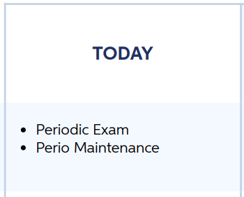
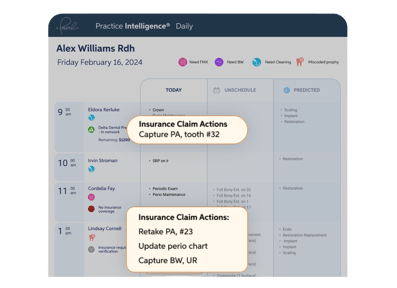
- Scheduled codes for today — View treatments and procedures already on the schedule for each patient.
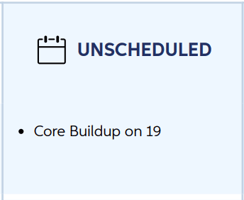
- Unscheduled treatment from the treatment plan — See pending treatment that has been diagnosed but not yet scheduled.
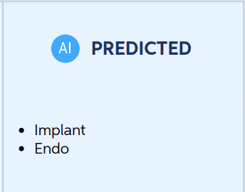
- AI-predicted findings — Conditions identified by Pearl's AI that have not been addressed in the treatment plan, giving your team a chance to follow up.
- *Insurance Verification & Claim Action Information — Review insurance status, remaining benefits, and claim-readiness actions at the start of each day.
*Available for Pearl RCM users only
Use Daily Huddle to keep everyone aligned, spot scheduling gaps or treatment opportunities, and ensure a productive day for your practice.