
The Visit Snapshot is a pre-visit patient summary in Second Opinion that automatically compiles key clinical and administrative information before an appointment begins. It pulls data already available in Second Opinion and your practice management system (PMS), so your clinical team has everything they need — patient history, AI findings, and insurance status — without any manual lookups.
What's in the Visit Snapshot
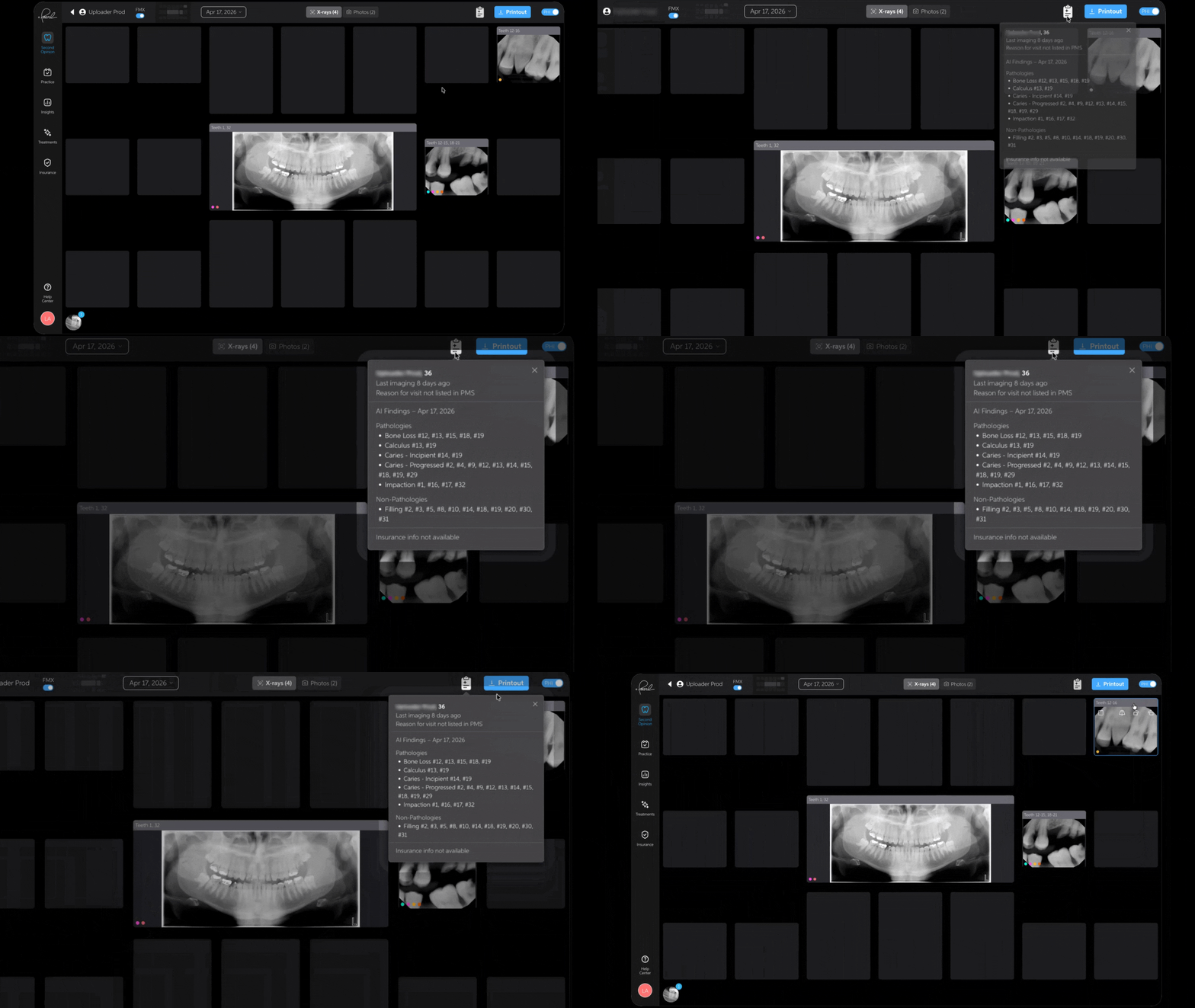
Patient Summary The patient's name, age, date of last imaging visit, and image count by modality (X-rays and photos) appear at the top of the panel. For pediatric patients, age is shown in years and months (e.g., "6 years, 6 months") for clinical clarity.
Reason for Visit A human-readable label is pulled from the PMS appointment code and matched to the most recent study date. If no reason for the visit is recorded in the PMS, this section is hidden.
Reason for Previous Visit For returning patients, the reason for their prior appointment is shown when it exists in the PMS. This section is hidden entirely for patients with no prior visit on record.
AI Findings Pearl's AI findings from the most recent images are organized by caries, bone loss, other pathologies, then restorations. Note the following behaviors:
- Discarded detections are excluded
- Pediatric patients under 13 with panoramic imaging do not receive AI findings in this panel — all other context is still shown
- Findings include all detected opportunities regardless of whether they are already documented in the PMS — review existing treatment records before presenting findings to patients
Insurance Summary Benefit status sourced from your PMS and Precheck is displayed here, reflecting the most recent verification run. This section is only visible for practices with Precheck access.
Best Practices
- Review the Visit Snapshot before the patient is seated — ideally during room setup or while pulling the appointment — to anticipate treatment conversations and prepare talking points
- Use the Reason for Previous Visit alongside AI Findings to quickly identify whether prior concerns were addressed
- If the insurance summary shows a low remaining benefit, flag it before treatment planning to set expectations with the patient
Important Notes
- The Visit Snapshot is available in the following Second Opinion viewing modes: FMX, Pedo (Sugar Bugs), Comparison, Tablet, and Photos
- Insurance Summary requires an active Precheck subscription
- Information available is dependent on the information within your systems Pearl is connected to.
- AI Findings shown in the panel include all detected opportunities — clinical judgment should guide treatment decisions
- The panel is fully localized across all supported languages